Model the network
HydroSewer
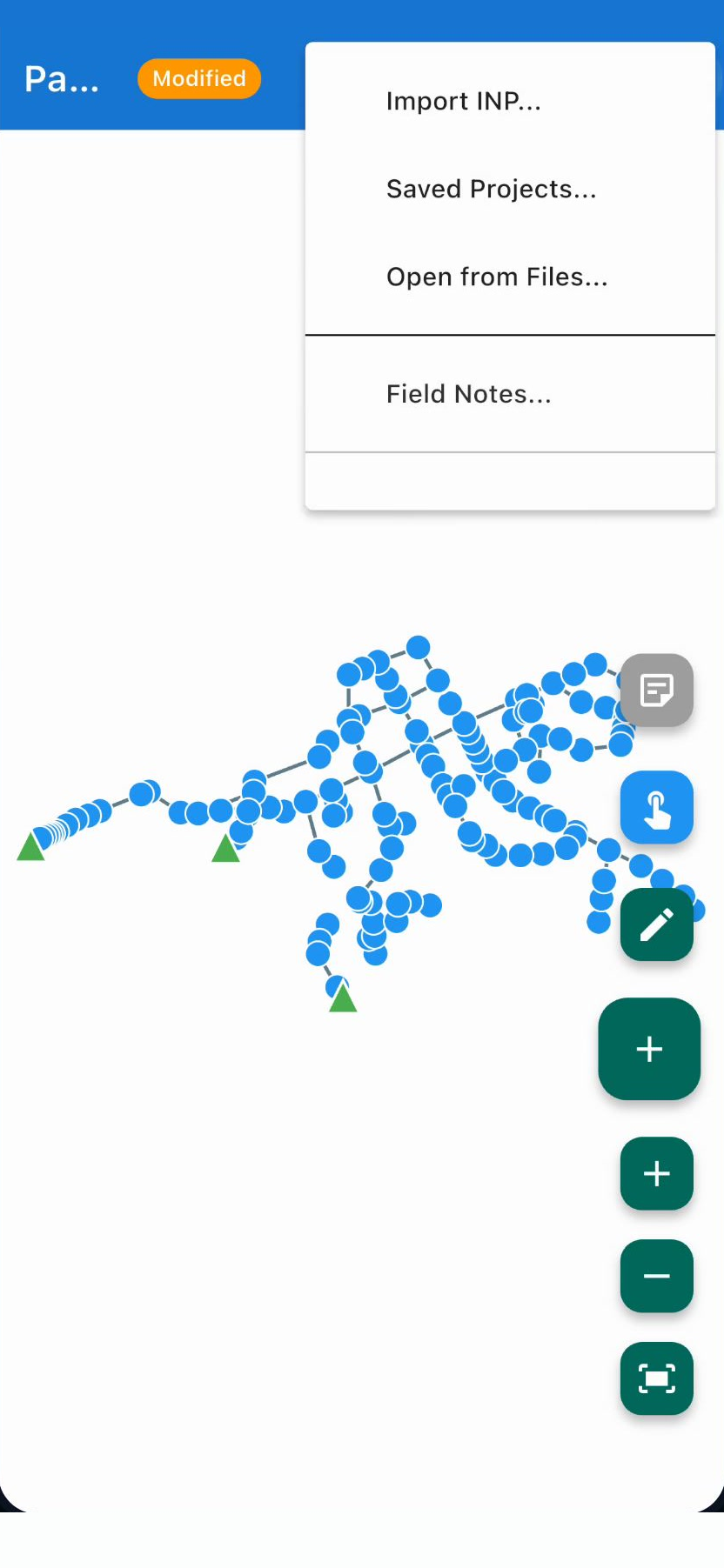
Powered by the EPA SWMM 5 engine, running on your deviceImport .inp files, edit sanitary and storm sewer networks, and run the simulation right on your phone or tablet.
Two tools for sanitary and storm sewers: one models the network, the other sizes the pipe.
Model the network
Import .inp files, edit sanitary and storm sewer networks, and run the simulation right on your phone or tablet.
Size the pipe
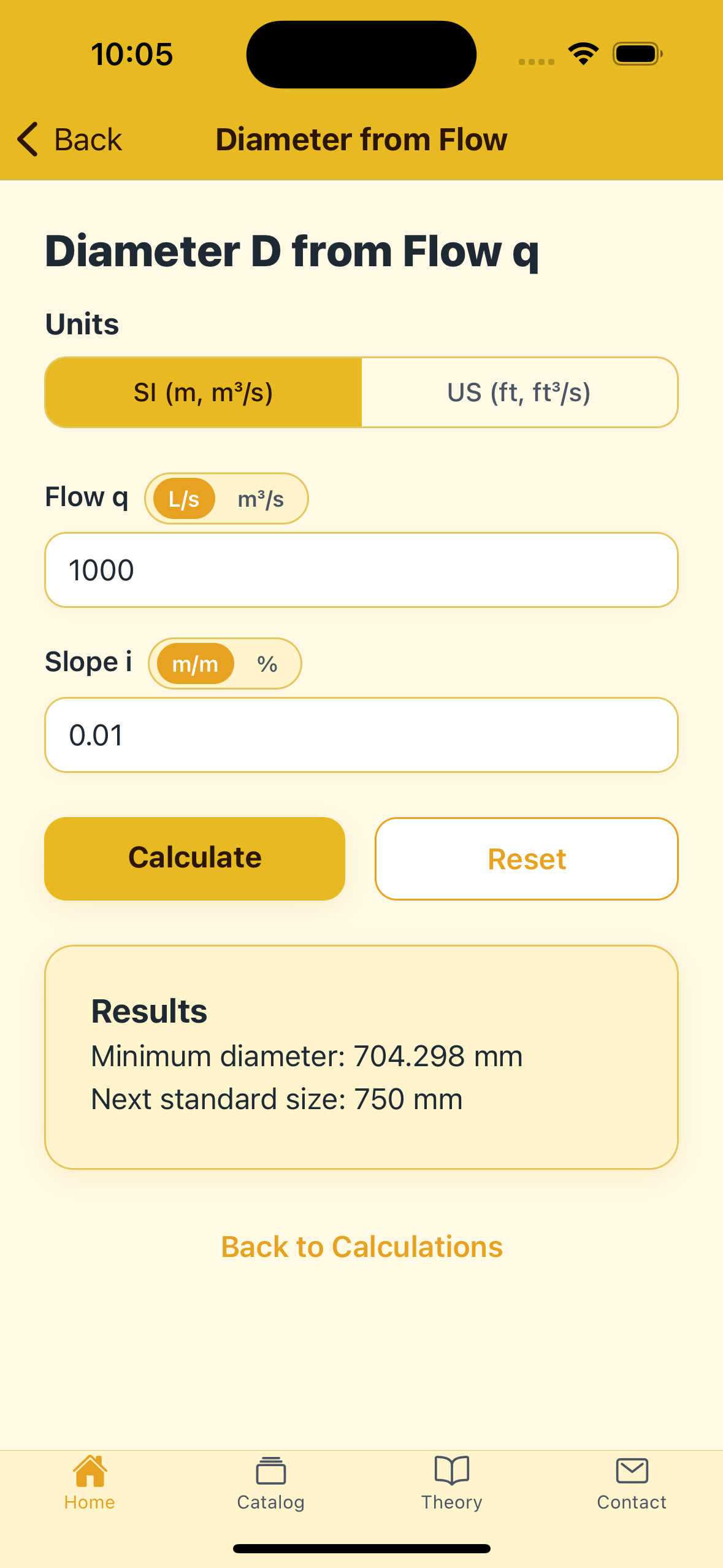
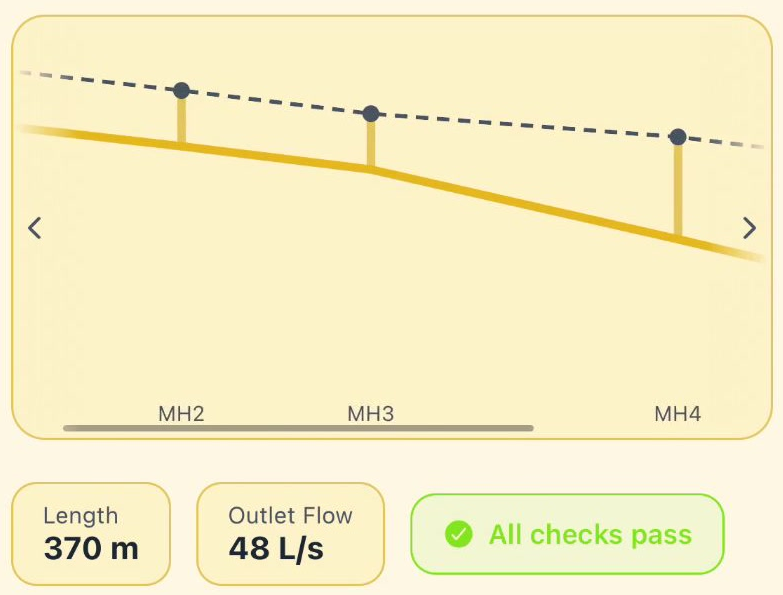
The other half of the job: sizing. Diameter, slope, velocity and depth with Manning, and a gravity collector laid out segment by segment. No network model, no simulation engine.
See everything it does →HydroSewer reads standard EPA SWMM 5 .inp files and runs the actual SWMM 5 engine on-device in a background isolate. No re-implementation, no approximation.
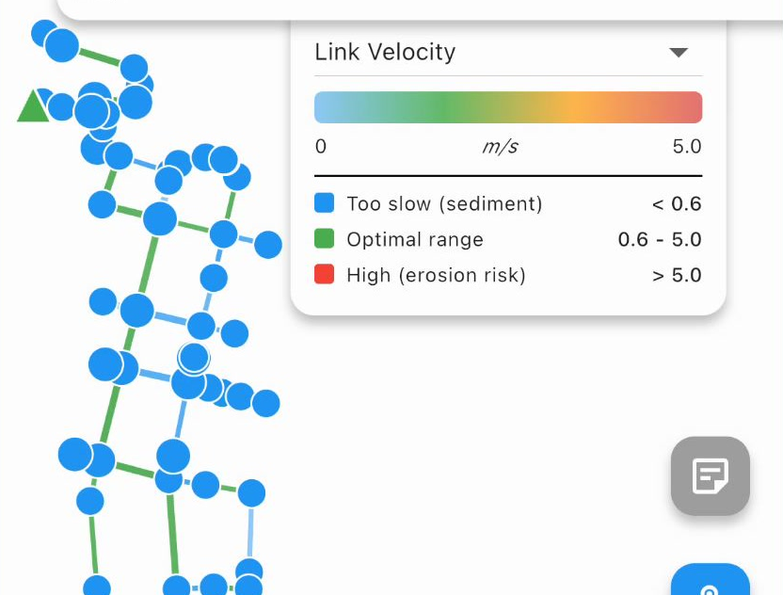
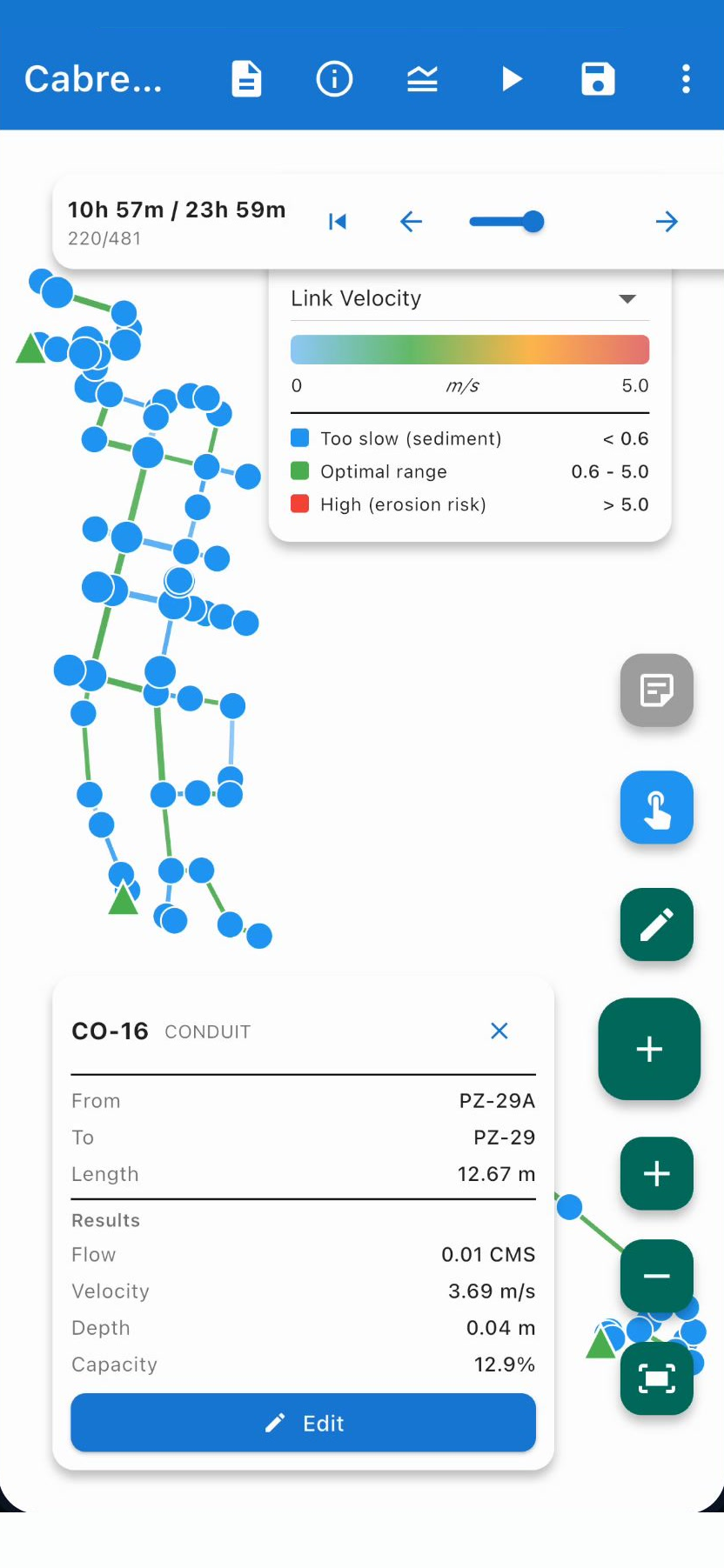
Color-coded nodes and links, flooded nodes highlighted, and a timeline you can scrub through every simulation timestep.
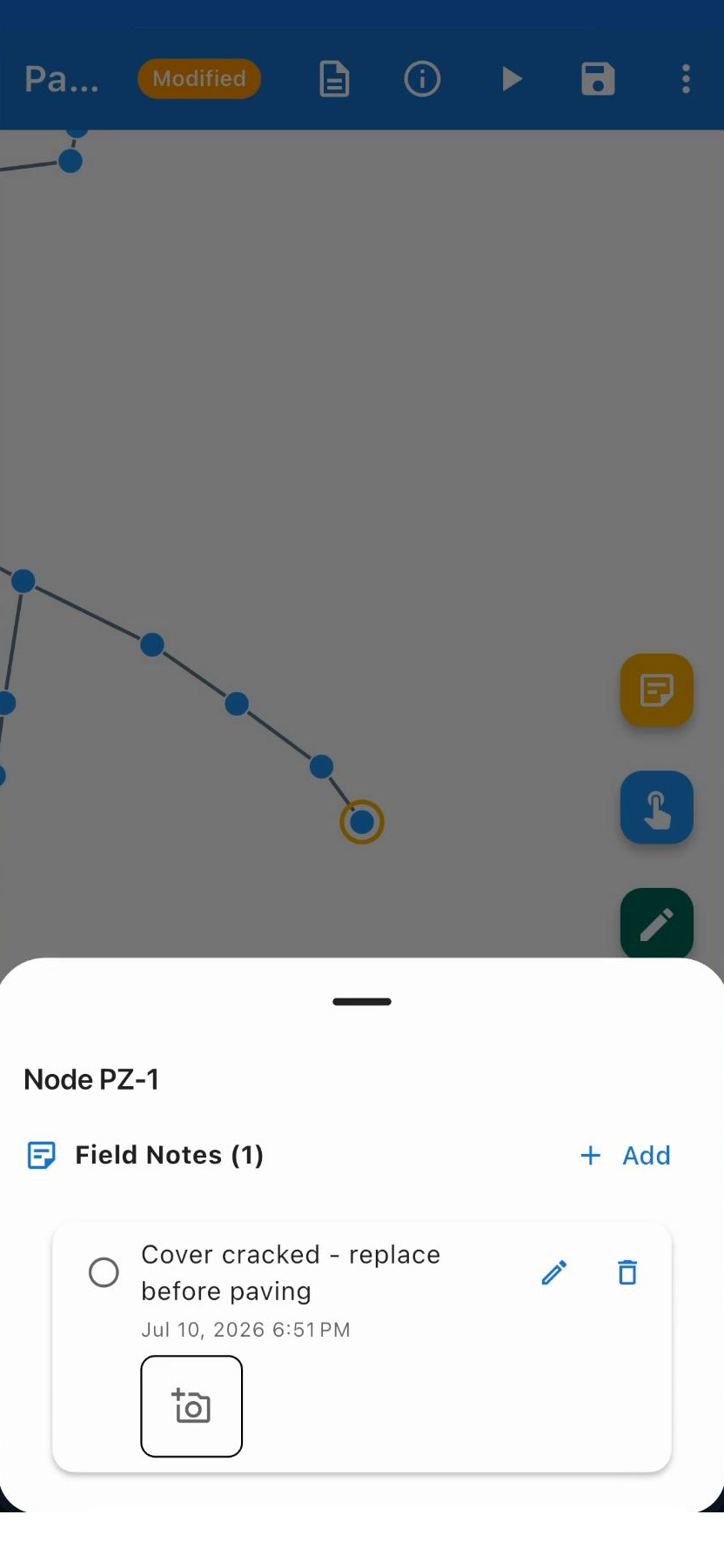
Drop a note on any manhole, outfall or pipe, snap photos to back it up, and mark it resolved once it is handled. Notes live in your project file — they never touch the .inp.
Import, edit, simulate and visualize sanitary and storm sewer networks on your device — and, when you want it, see them over a map.
Import the EPA SWMM 5 file format and save your work in a native project format.
The actual EPA SWMM 5 computational engine runs locally via FFI — no server, no cloud.
Build and modify sanitary and storm sewer networks directly on the canvas.
Zoom, pan and inspect every element — including subcatchments, unique to SWMM.
Read hydraulic results for every node, link and subcatchment across all timesteps.
Color-coded maps and a scrubbable timeline make results easy to read in the field.
US Customary and Metric, detected from your model and applied everywhere.
See the network over Google Maps, find where it goes in one tap, and see where you are — optional, turned on by you, and the only feature that uses the internet.
Model, simulate, save and take notes with no connection. No account and no server behind the app.
Close the loop between the model and what is actually in the ground — free and unlimited.
Hand your work on as files, and get back to yesterday’s project in one tap.
HydroSewer is built for the field and for confidentiality. Modeling, simulation, saving and field notes run locally — including the EPA SWMM 5 engine itself. Only the optional map background uses the internet.
Nothing to sign up for and no server behind the app. The simulation runs on the device, with or without signal.
HydroSewer has no analytics, telemetry or crash reporting of its own. The optional map comes from Google, under Google’s privacy policy.
Models, notes, photos and results stay in local files on your device. Sharing is always your call.
From manhole inspections in the field to storm sewer design at the desk — SWMM 5 wherever you are.
Open the model at the manhole, not back at the office. The whole engine runs on the phone or tablet, so a dead spot with no signal doesn’t stop the model.
Import an .inp, edit nodes, conduits and pumps with live validation, and re-run the real SWMM 5 engine as often as the design changes.
Subcatchments with Horton, Green-Ampt or Curve Number infiltration, then flooded nodes and depth colored on the map, timestep by timestep.
Manning calculations for sewer pipes. Works offline.
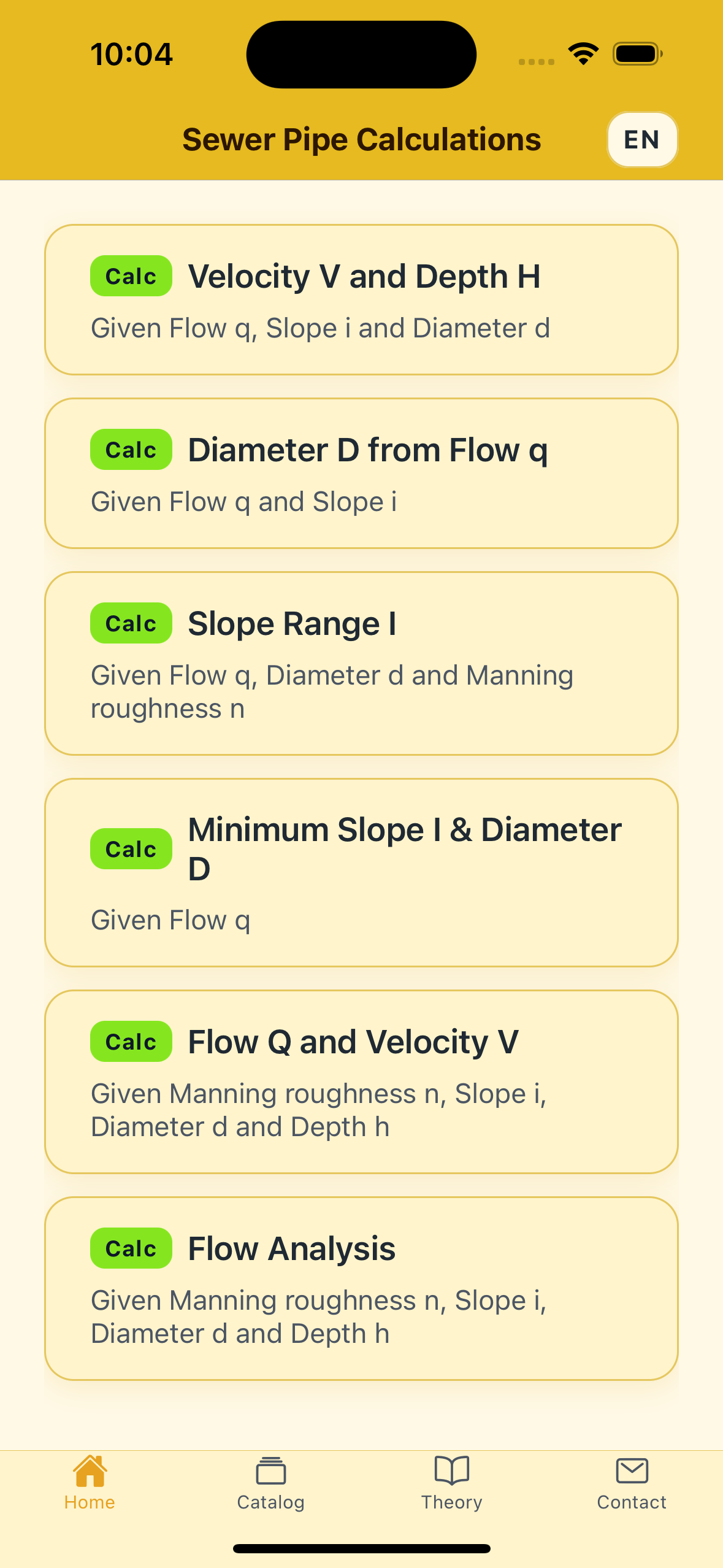
Before you model a whole network, you size a pipe. Sewer Pipe Calculator solves the everyday Manning problems — velocity and depth, diameter from flow, minimum slope — in SI or US units, with no connection and no account.
Available now on the App Store and Google Play — model sewer and stormwater networks with or without signal, wherever the work takes you.
HydroSewer is developed and published by Transparent Blue Water LLC. It is not affiliated with, endorsed by, or sponsored by the U.S. Environmental Protection Agency (EPA). References to EPA and SWMM are used solely to identify the simulation engine. This app runs the SWMM 5 computational engine on your device; EPA releases its source code into the public domain.
Results are produced by that engine and must be reviewed and verified by a qualified, responsible engineer before being used for any design, construction, permitting or other professional purpose. HydroSewer does not certify or warrant compliance with any code, standard or regulation.